Folio.
Open any file. Offline. Nothing collected.
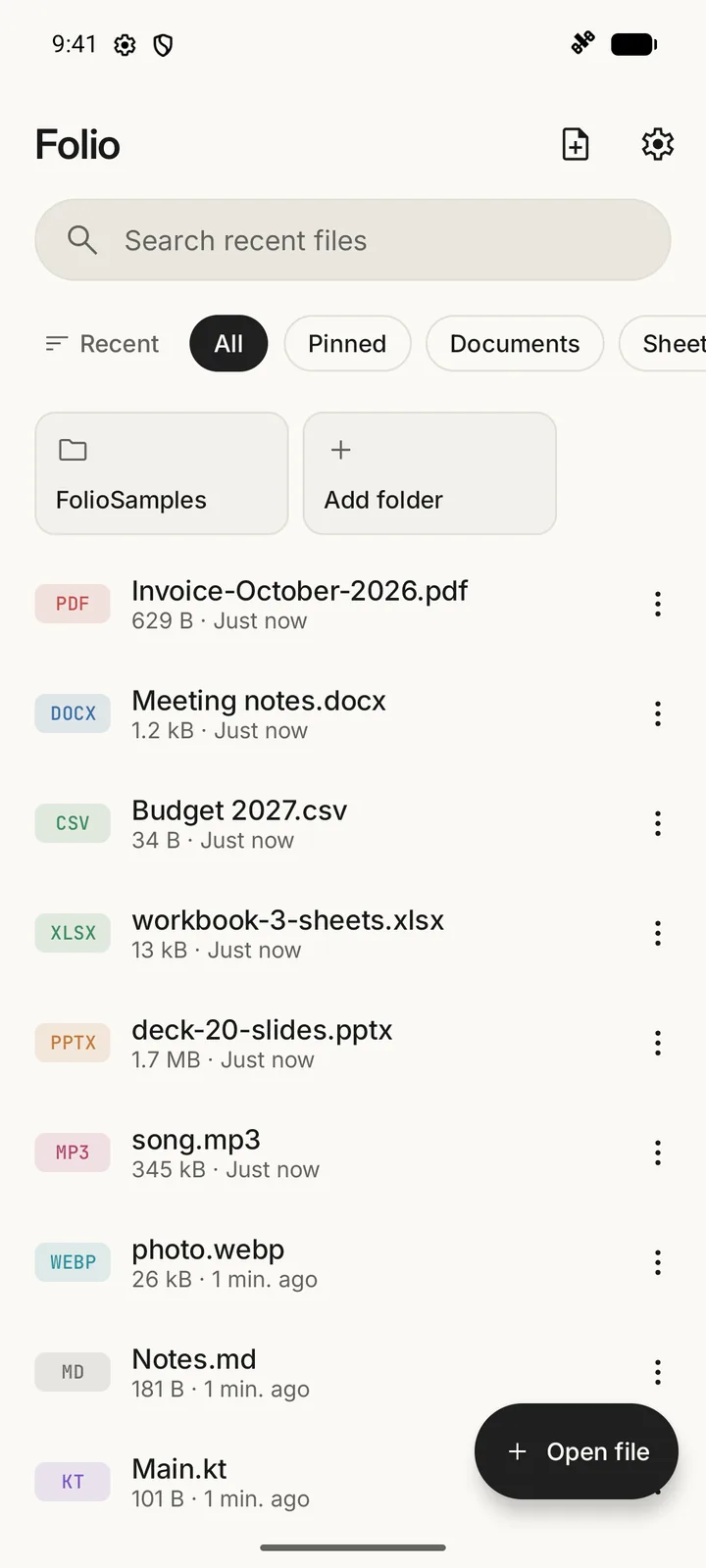
A free Android app that opens PDFs, Word, Excel, PowerPoint, text, code, images, music, video and ZIP files, and edits the text ones. No ads, no account, no internet permission.
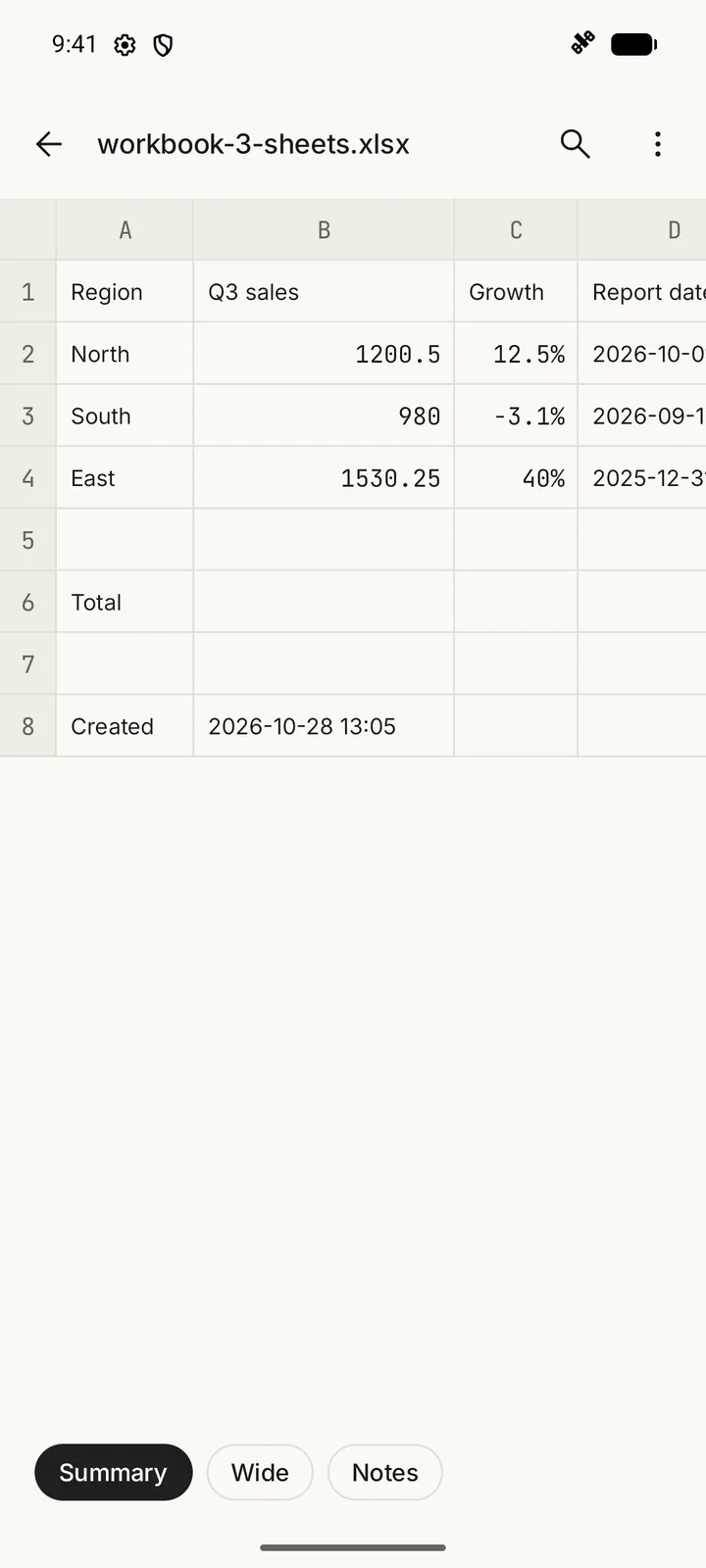
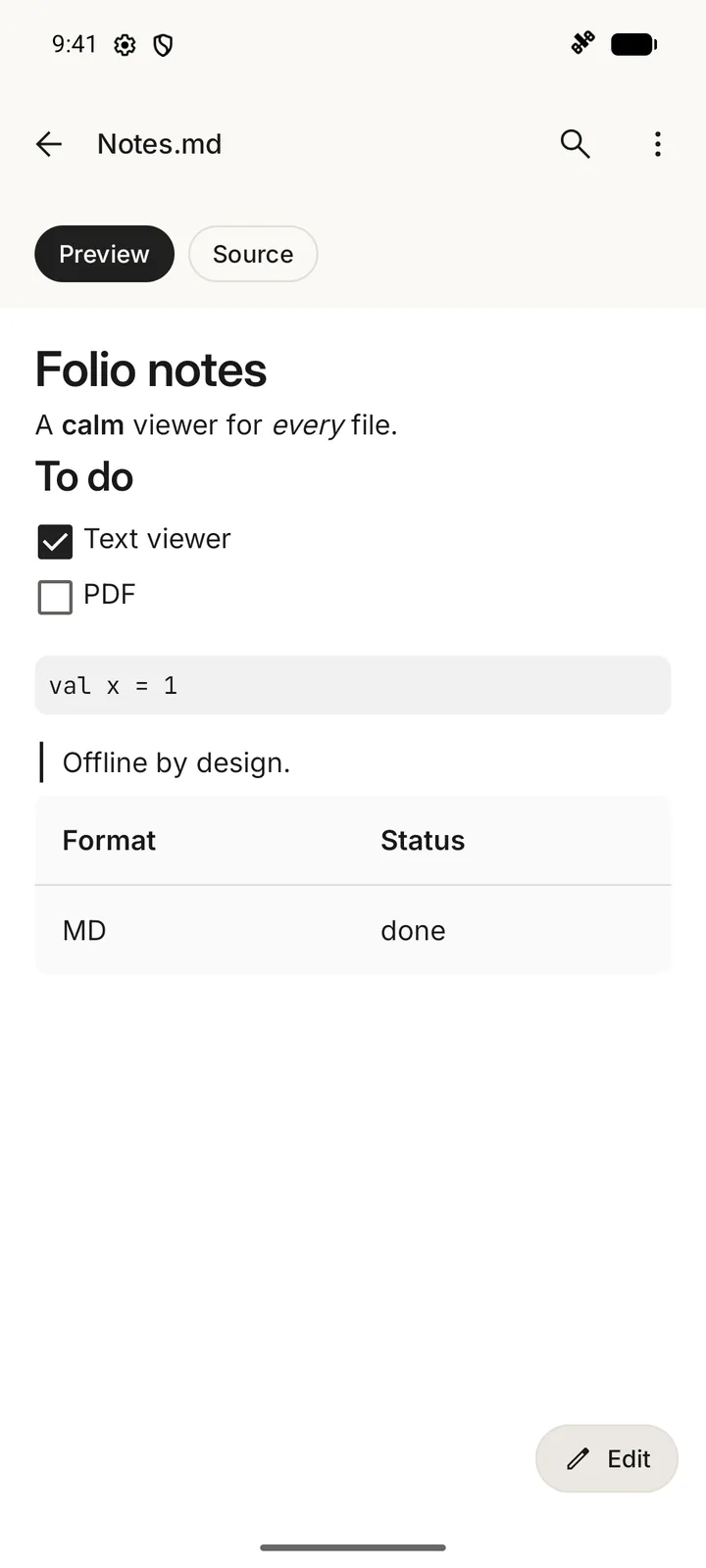
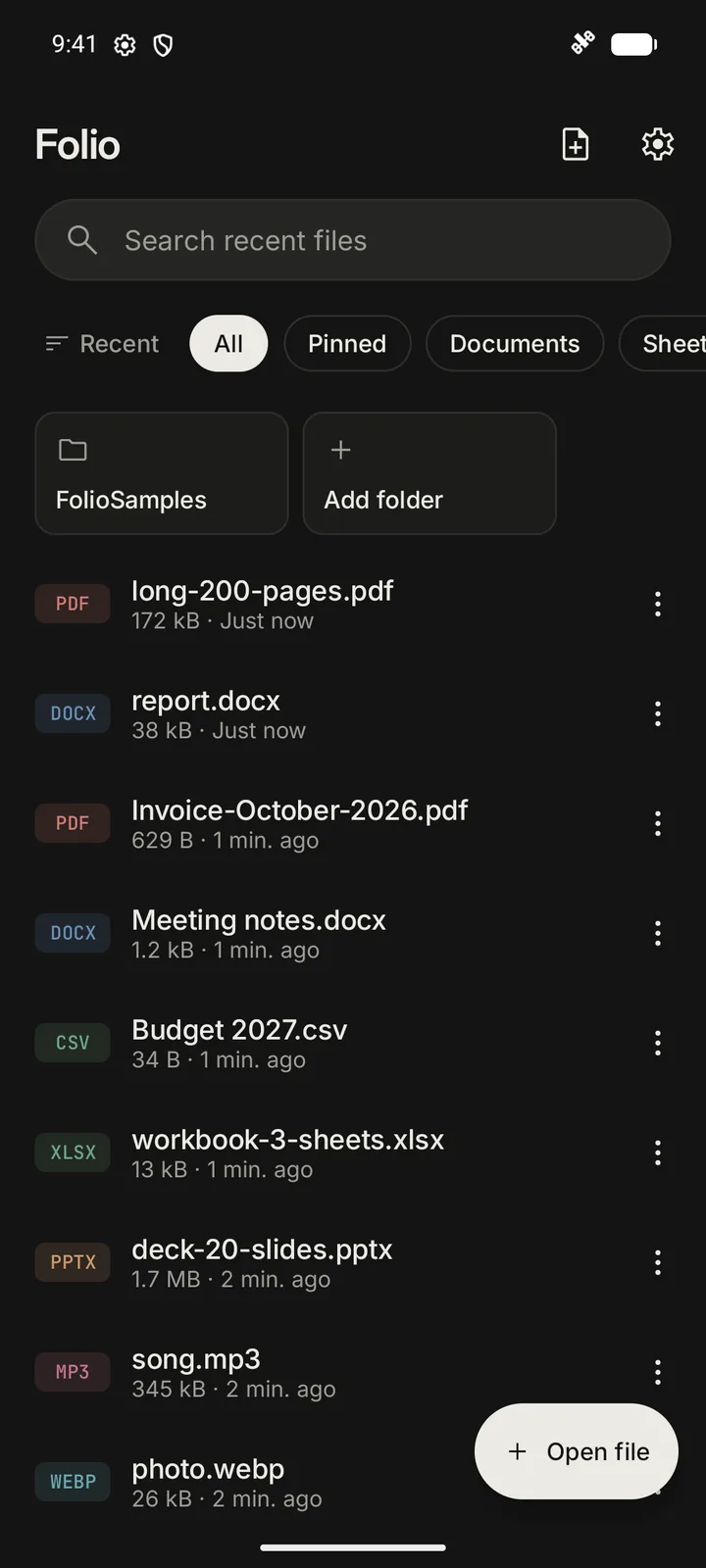
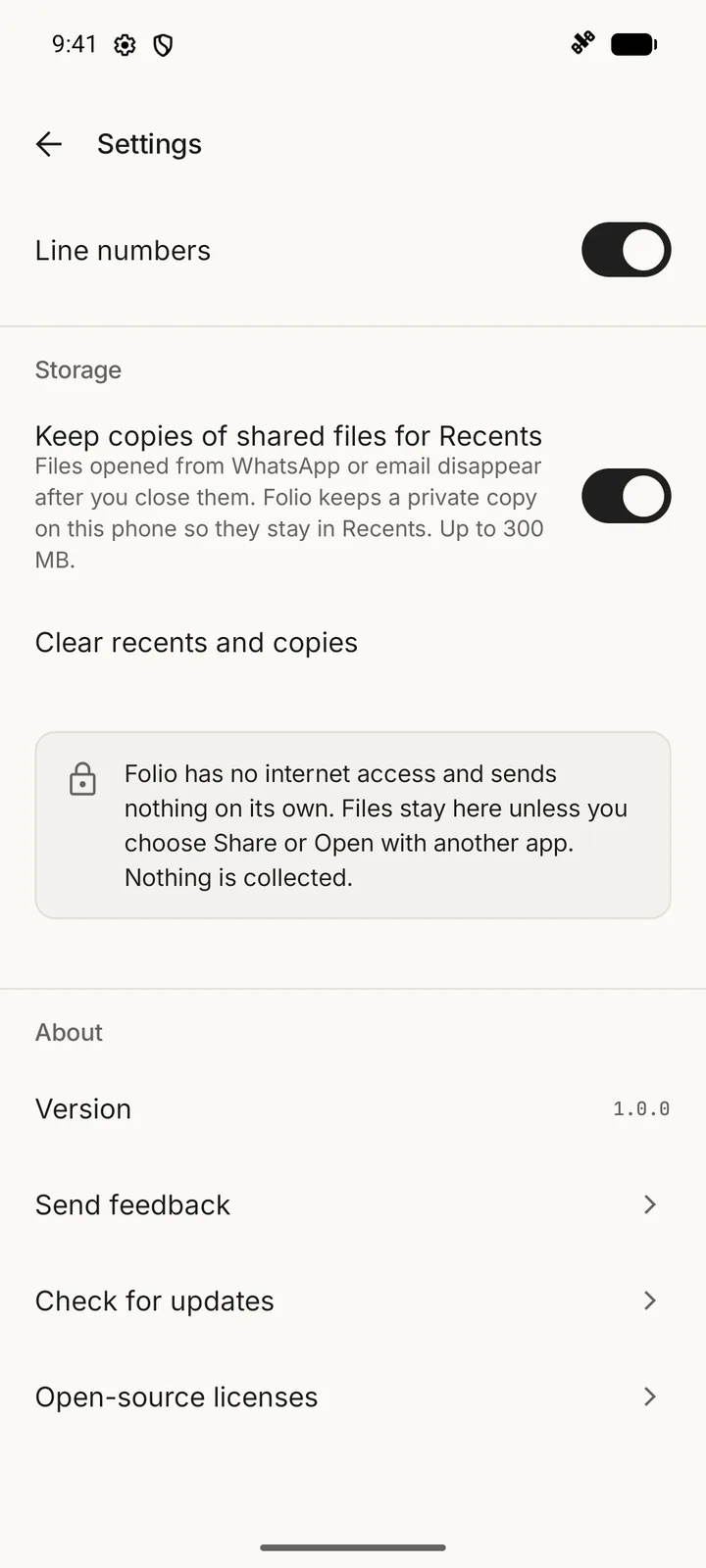
A look inside
Private by design
No internet permission
Folio can't go online: Android itself would stop it. Your files, Recents and settings never leave the phone.
No permissions at all
No storage access. Folio sees only the files you open with it, pick in it, or the folders you add yourself.
Edits only what it can't break
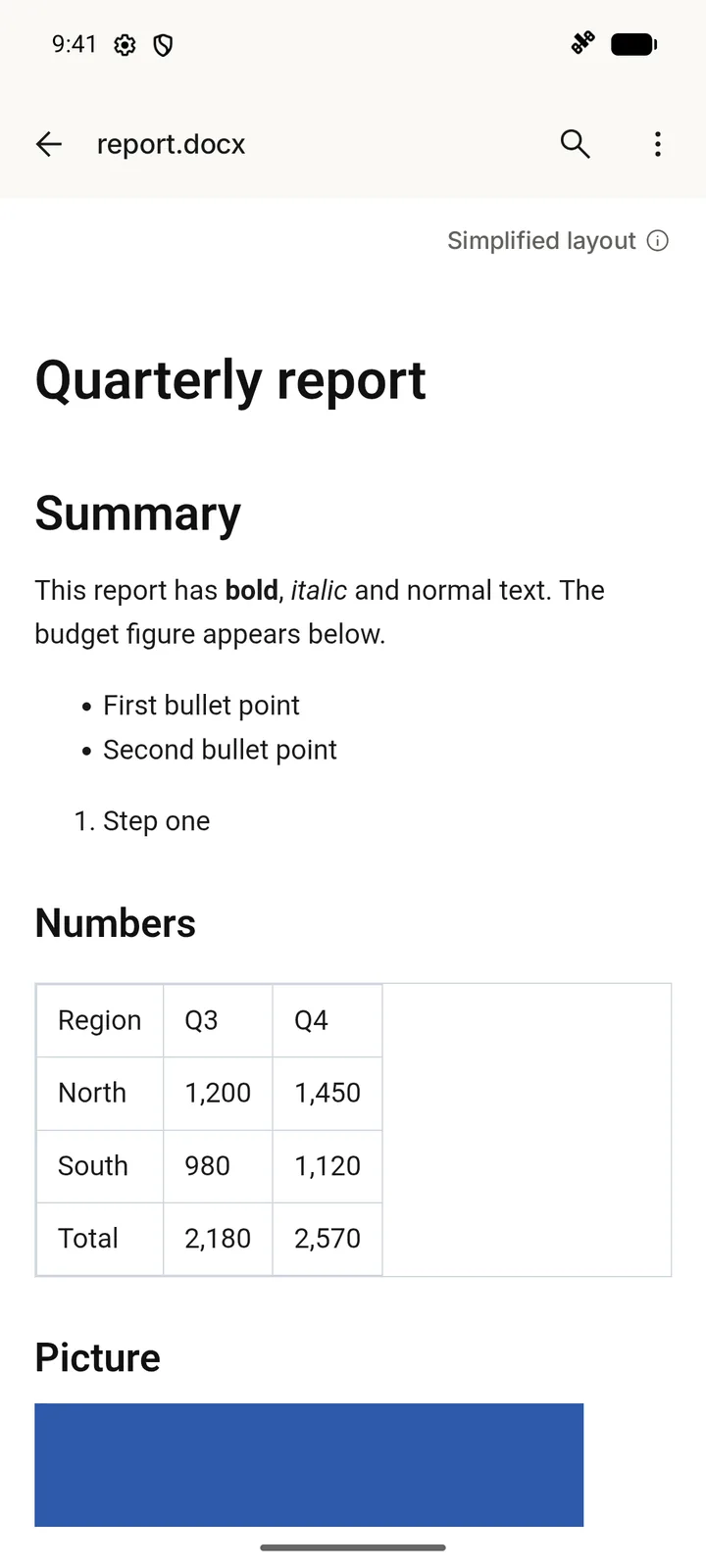
Text, Markdown, CSV, code and web pages get an Edit button. Word, Excel and PowerPoint stay view-only, so their layout never gets damaged.
Free, no ads, no account
No subscription, no sign-in, no rating pop-ups. It opens straight to your recent files.
What it opens
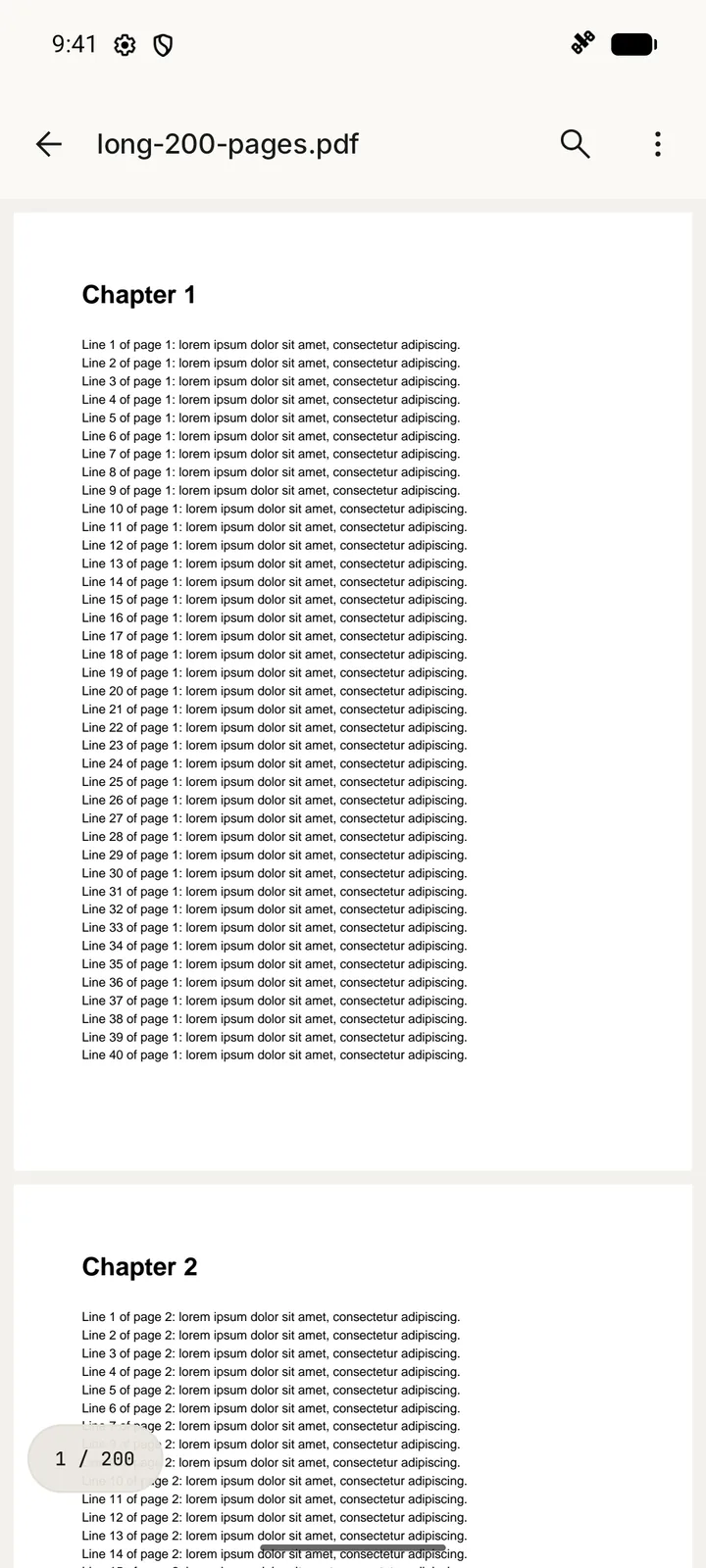
- PDF (with search and passwords), Word .docx
- Excel .xlsx, CSV, TSV
- PowerPoint .pptx
- TXT, Markdown, logs, subtitles, contacts (.vcf), calendar (.ics)
- JSON, XML, YAML, HTML, and 40+ languages with syntax colours
- JPEG, PNG, WebP, GIF, HEIC, AVIF, SVG, BMP
- MP3, M4A, FLAC, WAV, Ogg, voice notes, MP4, MKV, WebM, MOV
- ZIP: browse and open what's inside
How to install
Apps from outside the Play Store show a few warnings the first time. Here is each one and what to tap.
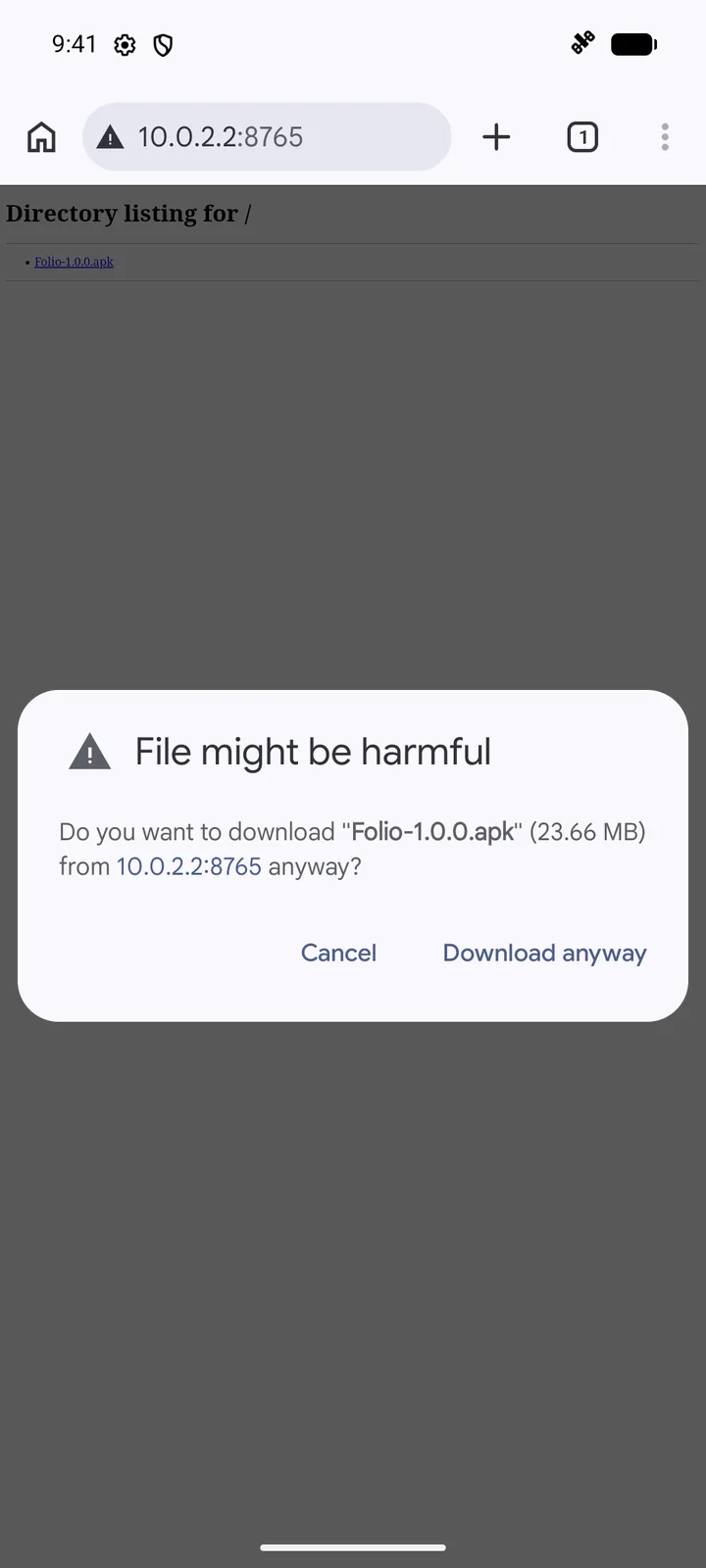
Download the APK
Tap Download on this page, on your phone. Chrome shows “File might be harmful”: that's its standard warning for every app file, not something it found in Folio. Tap Download anyway. (It will name github.com as the source.) If Chrome sits at 100% on “Downloading…”, close that panel and check Chrome → Downloads, or download it with another browser such as Brave or Firefox.
Open it
Tap Open when the download finishes, or find Folio-1.0.0.apk in Chrome → Downloads or Files → Downloads.
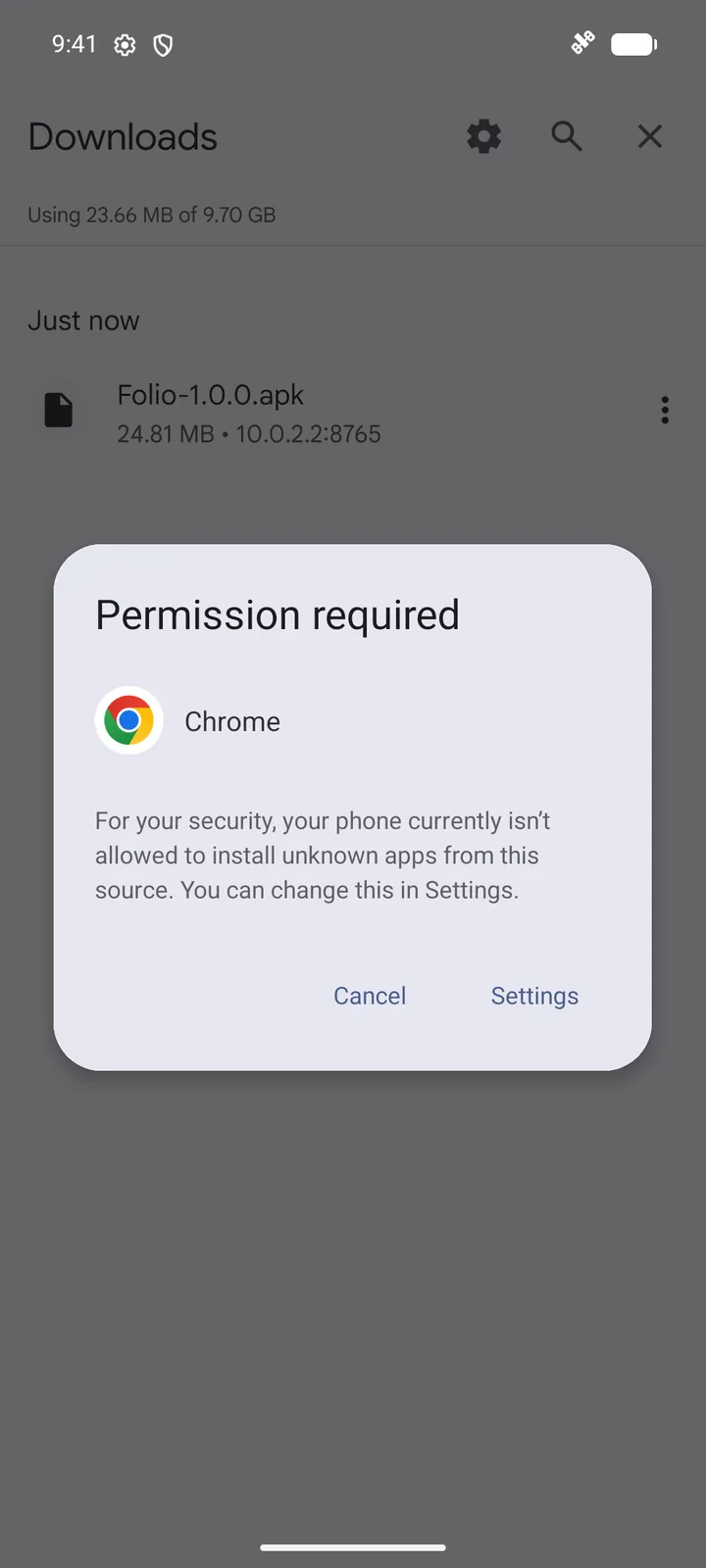
Allow your browser to install apps
The first time, Android says “Permission required”. Tap Settings, turn on “Allow from this source”, then go back. You can turn it off again after installing.
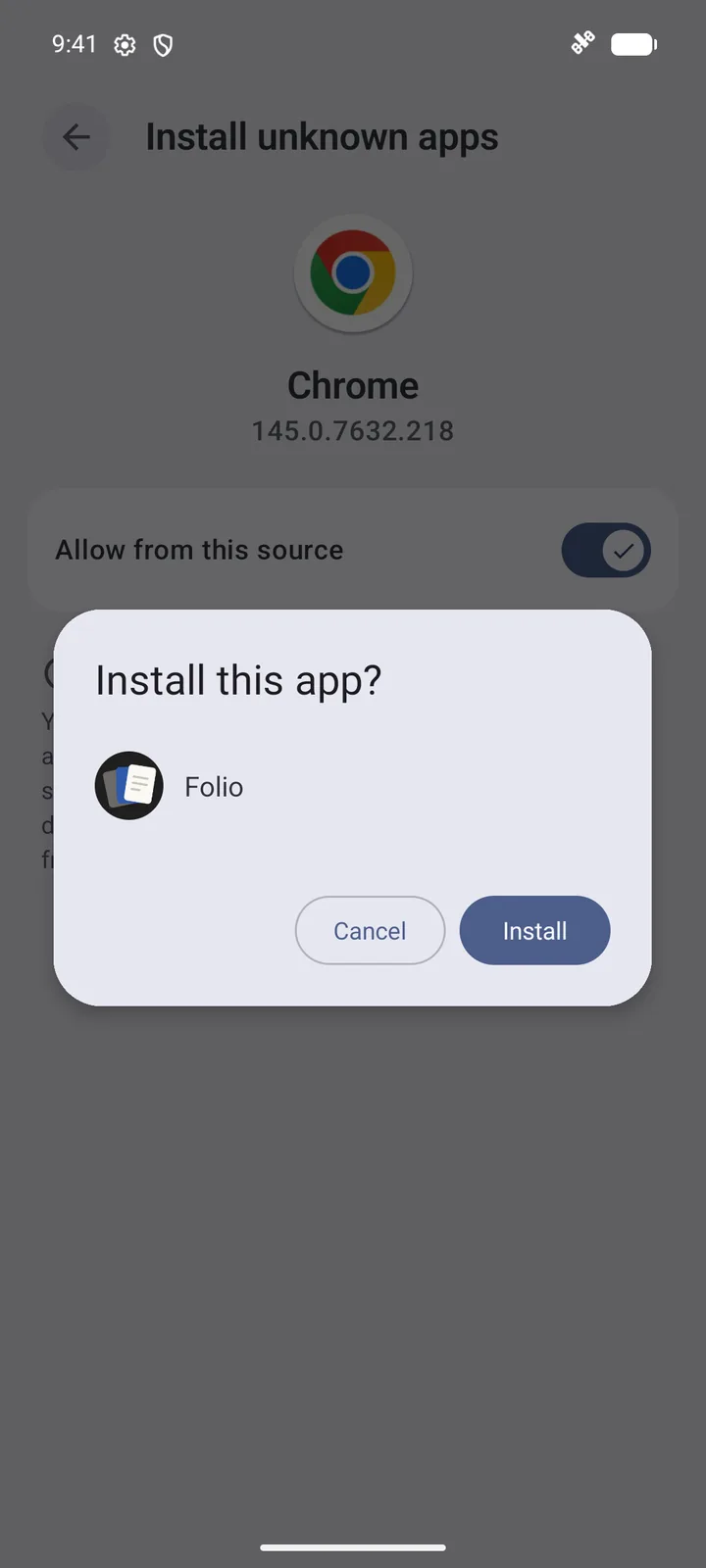
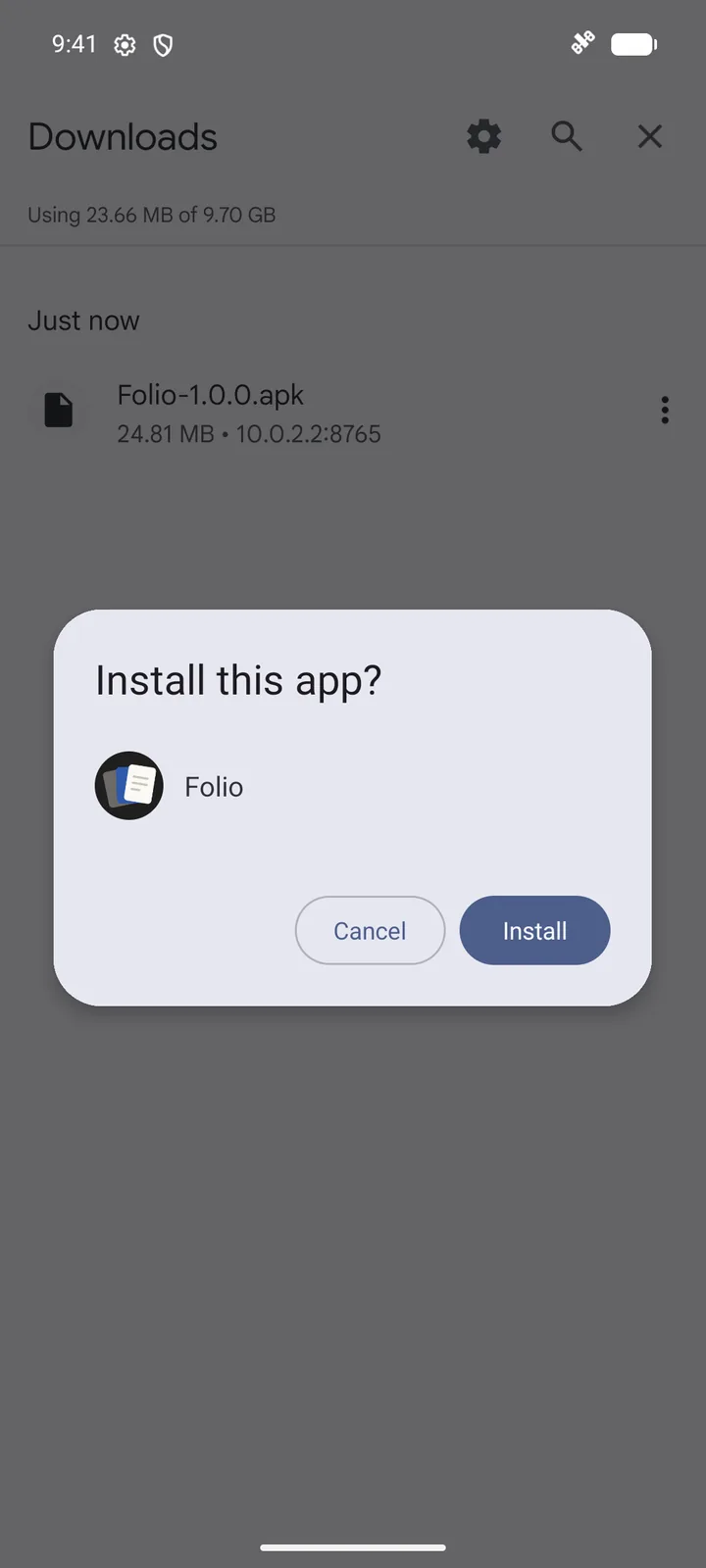
Install
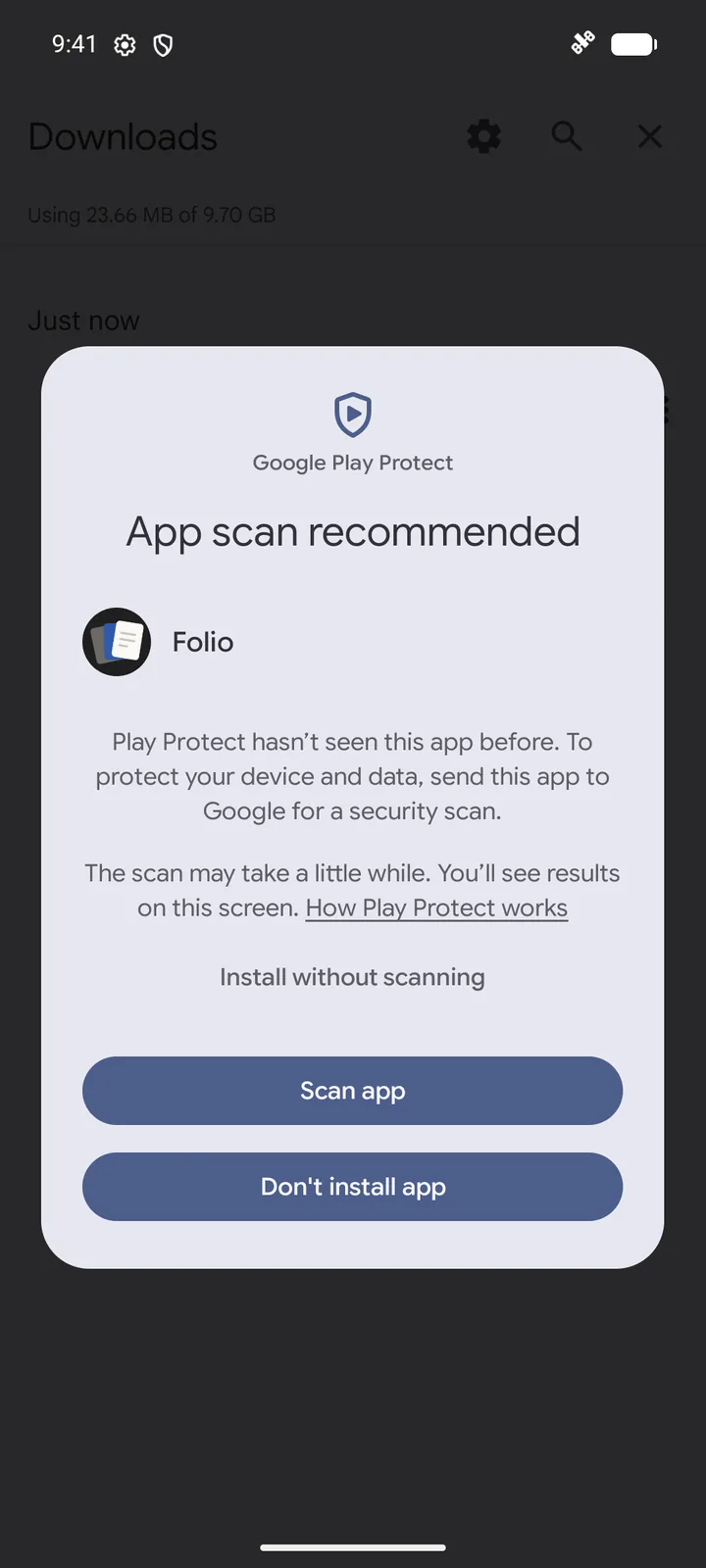
Tap Install. Google Play Protect says “App scan recommended” because it hasn't seen Folio before: it isn't on the Play Store. Either tap Scan app (Google checks the app, then it installs), or tap More details → Install without scanning.
Updates
From the app
Settings → Check for updates opens this page in your browser and tells you if a newer version exists. Folio itself never goes online.
Automatically, with Obtainium
Obtainium is a free app that watches GitHub releases and installs updates for you. Add https://github.com/vishalsolanki-v/folio as an app.
Get notified
Watch the GitHub releases or subscribe to their feed.
What's new
- First public release.
- Recents with search, filters, sort, pins and multi-select; folders you add; create new text files.
- Light, Sepia and Dark paper for documents; Light, Dark and Black themes.
- Send feedback and crash reports by email, always shown to you before sending.
How it's built
- Kotlin, Jetpack Compose, Material 3
- PDFium, the engine Chrome uses
- AndroidX Media3 (ExoPlayer)
- 0.23–0.32 s from tap to file on screen, measured across file types on a Motorola Edge 50
- 24.8 MB, works on Android 8.0 and newer
- None. No analytics, no crash service, no network.
Questions
- Why isn't it on the Play Store?
- Publishing there needs a paid developer account. Folio may go there later; until then, this page and GitHub are the only official places to get it.
- How do I know it's safe?
- Folio has no internet permission, so it can't send anything anywhere: check Settings → Apps → Folio → Permissions on your phone, which shows none. Each release lists its SHA-256 checksum so you can confirm your download matches.
- Can it edit Word, Excel or PowerPoint files?
- No. It shows them, but editing would risk breaking their layout, so they're view-only. Text, Markdown, CSV, code and web pages can be edited and saved.
- Does it need storage access?
- No. It only sees files you open with it, pick inside it, or folders you add to it yourself.
- Will an update delete my files or Recents?
- No. Install the new APK over the old one and everything stays. Never uninstall first, unless you want to start fresh.
Found a bug? Have an idea?
Every message reaches me directly. In the app, Settings → Send feedback fills in your phone details for you, and after a crash Folio offers to email the report. Nothing is ever sent without you pressing send.
Or email workwithvishalsolanki@gmail.com.